 ServerKiln
Every GPU server,
right in your menu bar
Monitor NVIDIA GPU servers over SSH: GPU utilization, VRAM, temperature and training jobs at a glance. Get alerts on Mac and iPhone when training ends.
Built for people who train models
No more ssh-ing in to run nvidia-smi, and no dashboard tab to keep open.
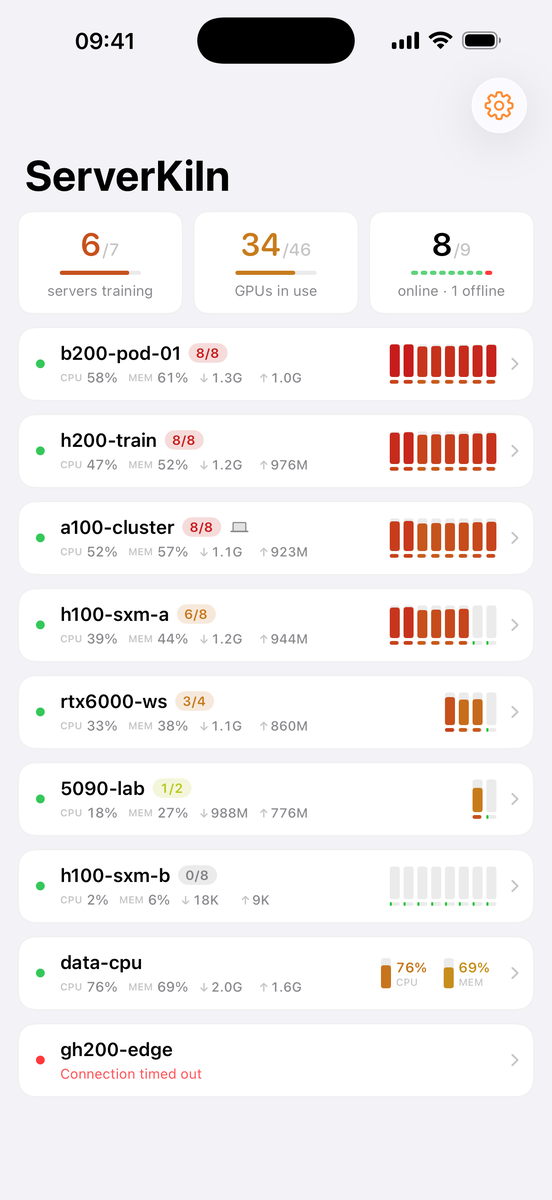
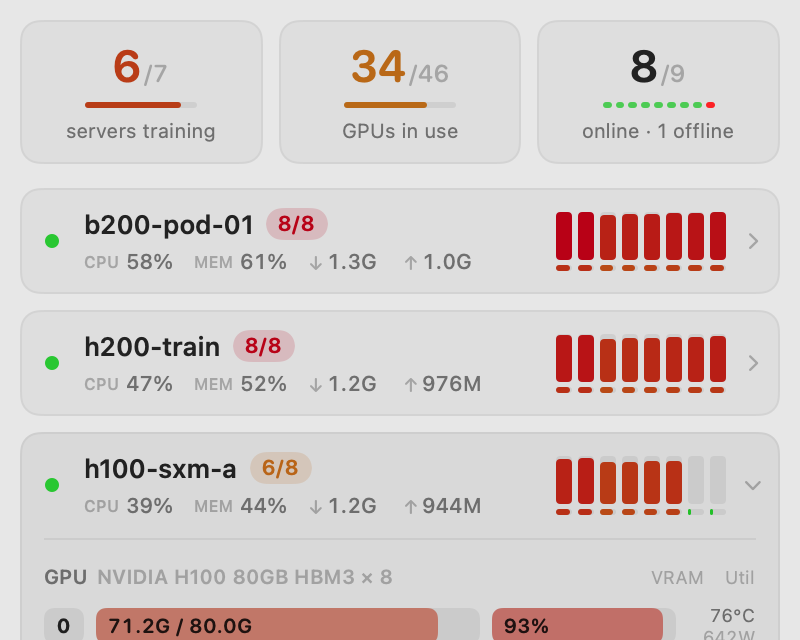
Your whole fleet at a glance
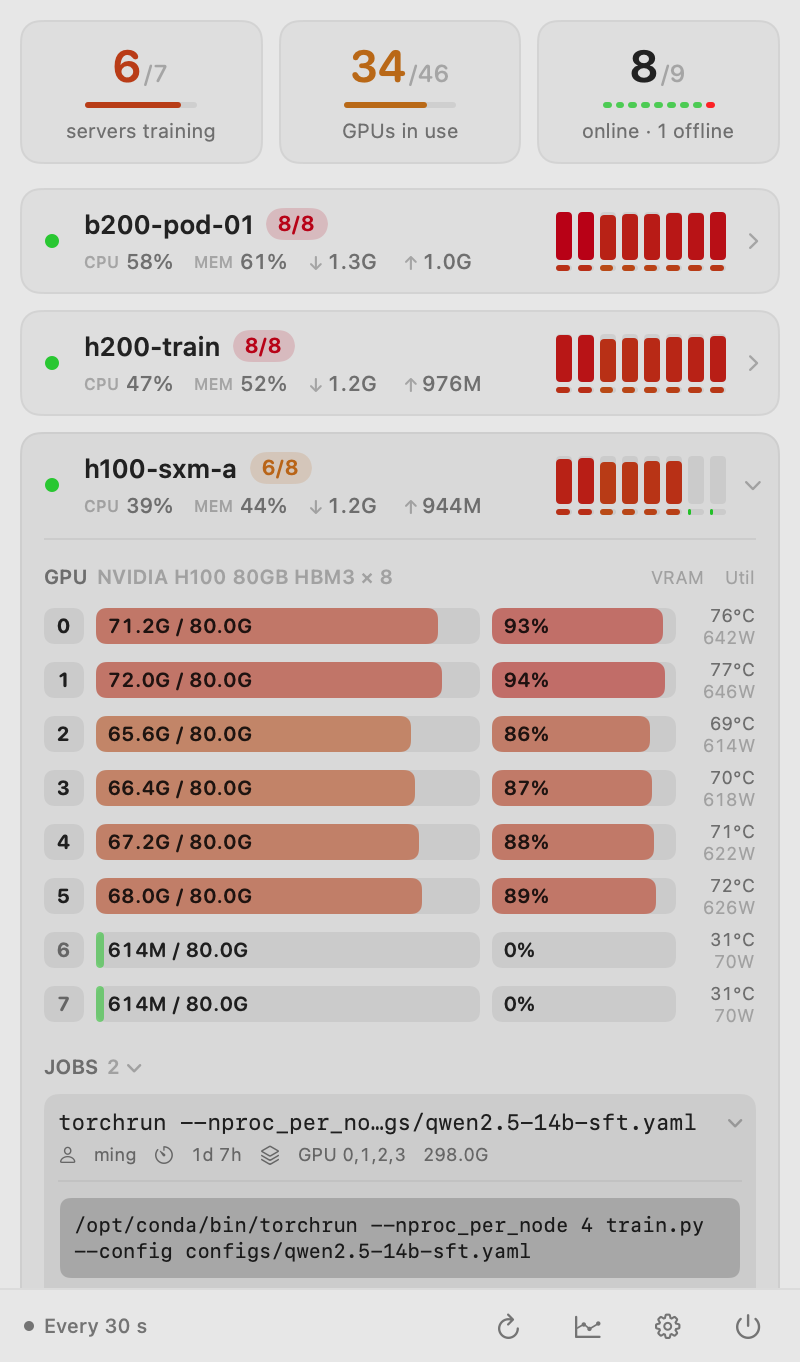
Mini bars per GPU: utilization on top, VRAM below. 8/8 busy glows red; idle stays pale.
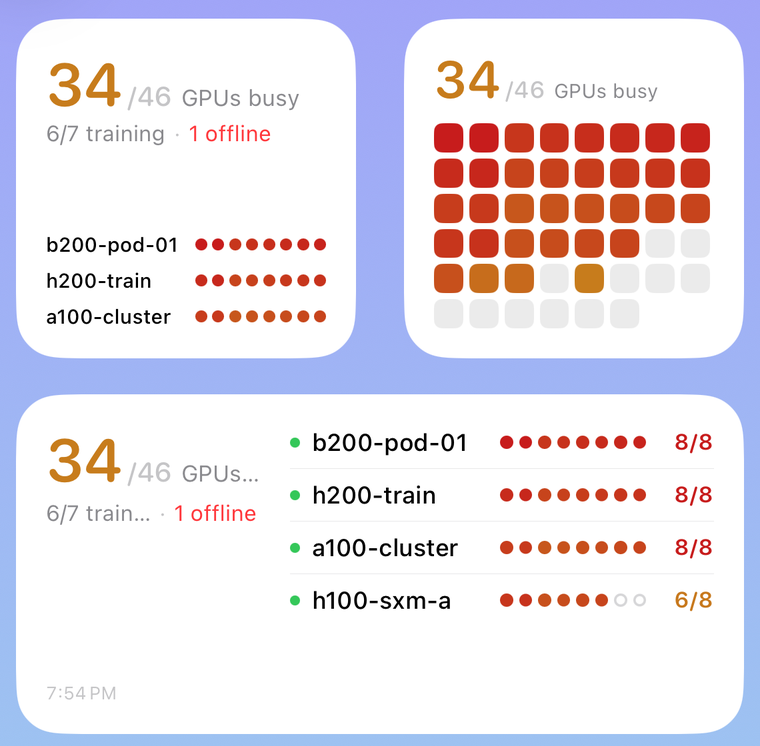
iPhone and widgets
Home and Lock Screen widgets, push alerts, and a simple terminal protected by Face ID.
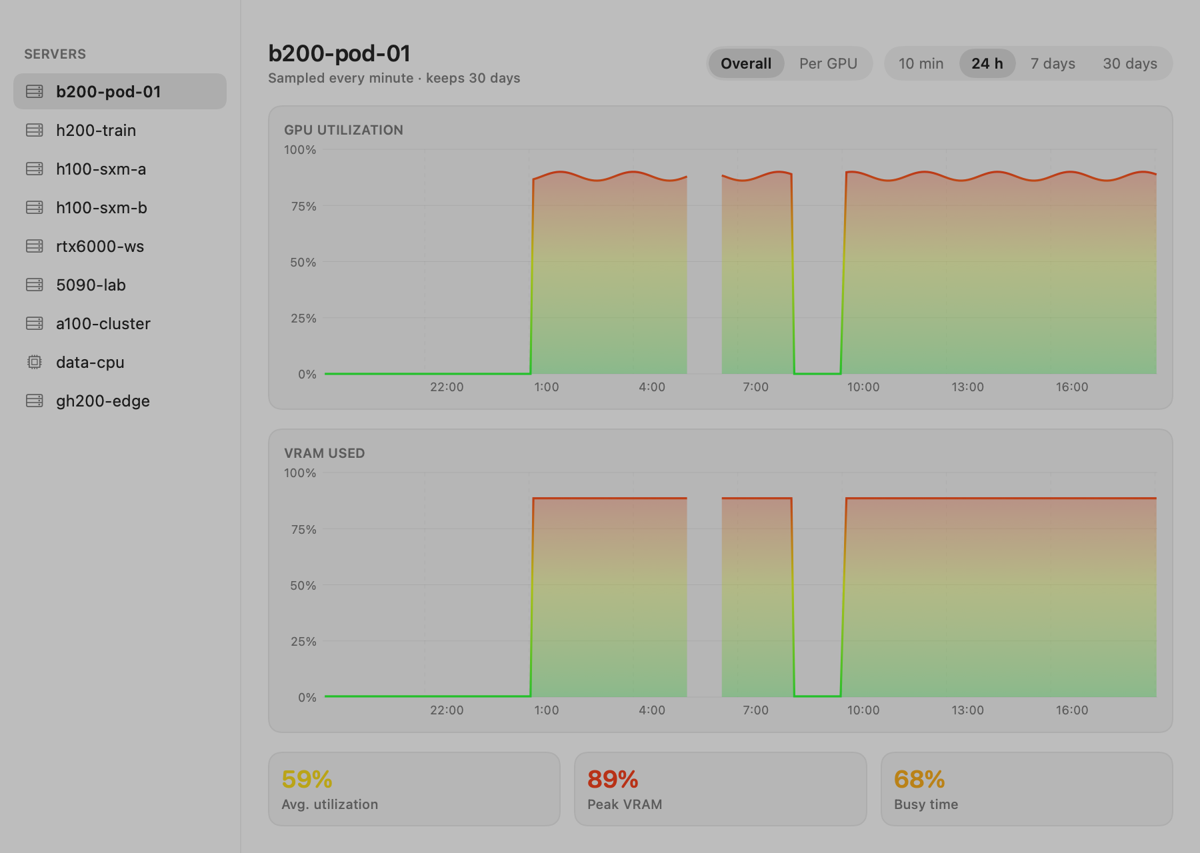
History from 10 minutes to 30 days
Overall or per GPU, painted with the load colour scale and stored locally in SQLite.
Know when training ends
Alerts on busy ↔ idle and offline / back online, debounced, with per-server mute.
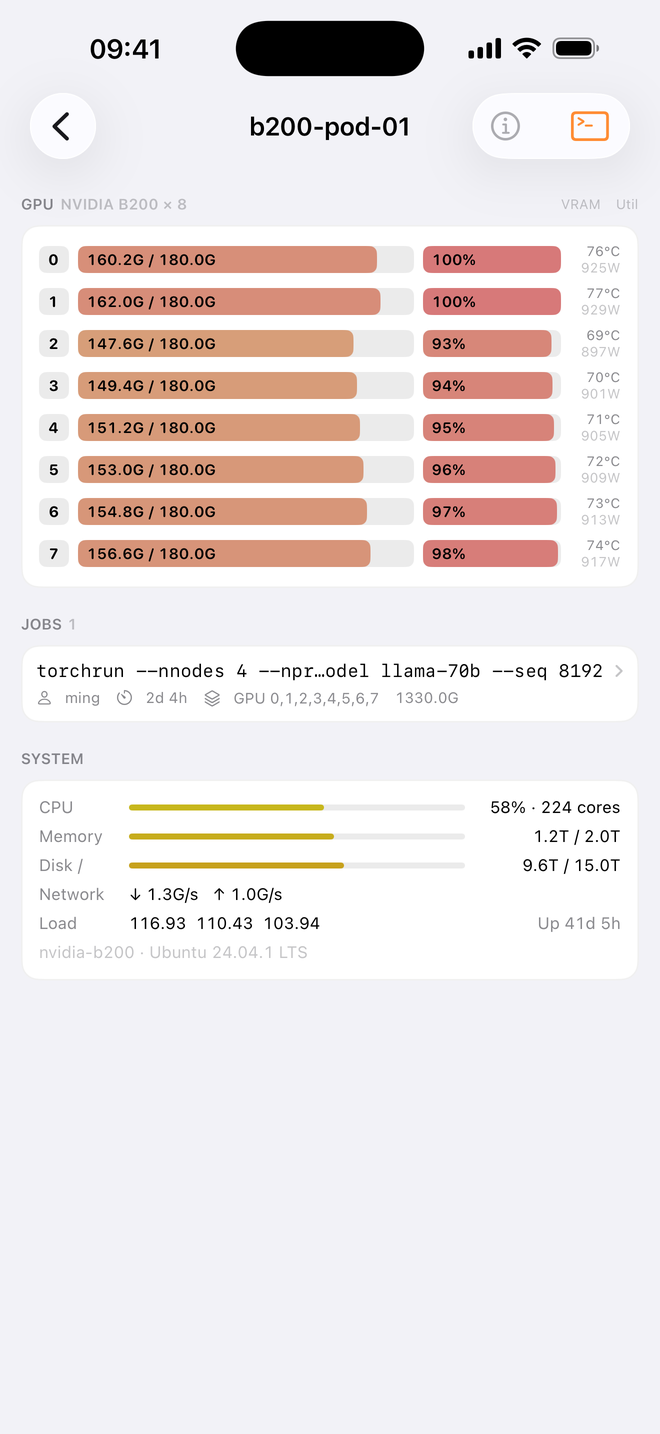
Every GPU, every job
Utilization, VRAM, temperature and power; each job's full command, directory, start time, CPU and memory.
Even servers only your Mac can reach
If iPhone can't reach a server (LAN, ZeroTier), it shows the status relayed by your Mac, read-only.
Three steps, five minutes
Uses the ssh config you already have. No agent, no open ports.
Install the Mac app
Download the DMG from the latest GitHub release and drag ServerKiln to Applications. It lives in the menu bar, not the Dock.
Import your servers
Import from ~/.ssh/config in one click. Needs passwordless login (key or ssh-agent); jump hosts just work.
Connect iPhone (optional)
Enable servers in Settings → iPhone: your Mac deploys a dedicated read-only key and syncs it via iCloud Keychain.
Read-only, and yours alone
ServerKiln has no servers of its own and collects no data.
- The Mac runs a built-in read-only script over the system
ssh, authenticating with your ssh-agent. It never reads your existing private keys. - The iPhone monitor key is locked down in
authorized_keyswithrestrict,command=, so it can only run the collector. - Private keys live only in iCloud Keychain (end-to-end encrypted). Host keys are strictly pinned; any mismatch is refused.
- The optional terminal key disables all forwarding and needs Face ID every time.
Let the menu bar watch tonight's run
The Mac app is free and open source. Get the iPhone app free through November 14. No subscription or in-app purchases.